Does Neverness to Everness (NTE) Have Dyes? Can You Dye Clothes? Full Appearance, Outfit & Vehicle Paint Guide
Does Neverness to Everness (NTE) actually have dyes and clothing dyeing? A complete breakdown of how appearance customization works — full outfit swaps, vehicle paint jobs, and the truth about dyes. Honestly telling you what you can and cannot change.
Published: 2026/05/31
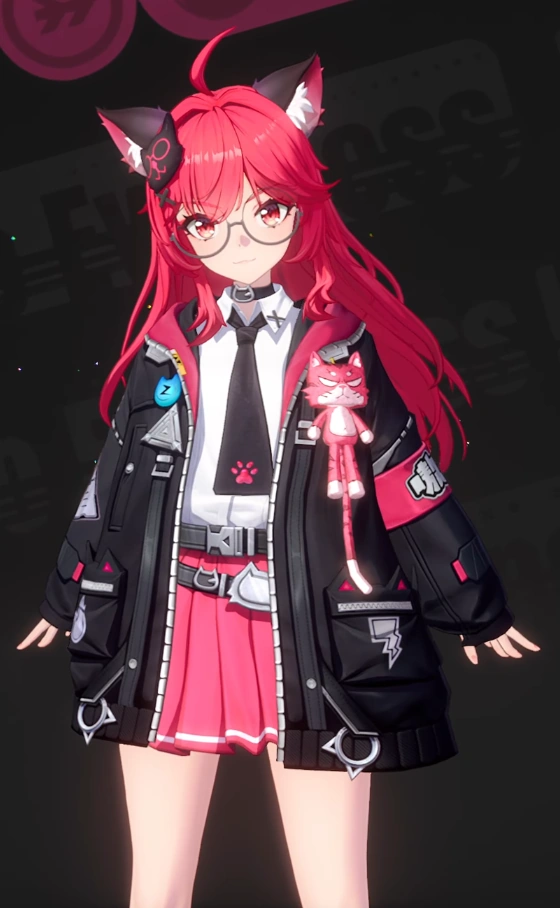
The key answer: NTE has no general “free clothing dye” station — appearance customization mainly means swapping entire outfits (full swap, no mixing and matching, no arbitrary recoloring), and there is no face-creator character builder either. The main thing you can actually “recolor” is vehicle paint jobs (Rampage Players modification shops, where you can change body color scheme / decals). Outfits are bought with Fons / Riftcrystal in the Fashion Shop, unlocked at Bond Lv 10, or obtained from the “Scarborough Fair” gacha board. Information on so-called “dyes” is currently very limited, ⚠️ always go by what is actually in the game.
Many new players ask: “Can NTE let you dye clothes any color you like, the way some games do?” Let me give you the conclusion first: no (at least the current version has no general dyeing interface). Appearance customization in NTE is actually pieced together from several different systems — full outfits, vehicle paint jobs, and glider skins. This article explains them all in one place, and honestly marks which parts are confirmed and which are just scattered rumors, so you do not mistakenly believe the game has features that do not exist.
📸 Want to take glamour shots to show off your look? That is a separate system — see the Photography / Photo-Spot System Guide. This article focuses only on “where the appearance itself comes from.”
1. First, get this straight: what does NTE’s “appearance customization” actually include?
NTE is not a traditional game with a “dye station.” Its appearance customization breaks down into three independent parts:
| System | What it changes | Where to do it | Can you “recolor” it? |
|---|---|---|---|
| Character outfits (Outfit / skins) | The whole clothing look | Character menu → outfit icon at bottom-left | ❌ Full-set swap, cannot freely recolor |
| Vehicle paint jobs | Body color scheme, decals, paint | Rampage Players modification shop | ✅ Can change color scheme / decals |
| Glider / vehicle skins | Glider and vehicle appearance sets | Fashion Shop / gacha board | ❌ Full-set skin swap |
Things that do NOT exist (important, so you do not search in vain):
- ❌ No face creator / character builder — you cannot change hairstyle, face, skin tone, makeup, or body shape; every character’s look is fixed.
- ❌ No mix-and-match per piece — outfits are applied as a full set; you cannot wear top A with bottom B.
- ❌ No (confirmed) general clothing dye system — you cannot dye any piece of clothing any color.
2. So-called “dyes”: the information is currently very limited (honestly)
Regarding the term “dye,” publicly available information is currently very scattered, and this site cannot give you a definite acquisition / usage process. Here is a clear split of what is “confirmed” versus “rumored”:
✅ Reasonably confirmed:
- NTE’s main focus is swapping entire outfits, not breaking clothing down to dye it. Multiple guide sites consistently state that the game has no feature letting players freely recolor clothing.
🟡 Seen only in a few sources, not yet widely confirmed:
- Some English sources mention that “dyes are used for room-furniture color schemes, or minor accent details on outfits.” This claim appears only on individual wikis and lacks secondary corroboration, and may be confused with “color-scheme options for room decoration.” This site does not treat it as settled.
📌 Conclusion and advice:
⚠️ Please go by the actual in-game interface. If you find a “dye” item or dyeing entry point in the game, it most likely only applies to a limited set of room / furniture decoration color schemes, not free dyeing of character clothing. Do not top up or grind for some item just to “dye clothes” — there is currently no evidence supporting free clothing dyeing. For room / furniture gameplay, see the Room Decoration + Anomaly Furniture Guide.
3. Character outfits (this is the real workhorse for “changing appearance”)
Since there is no dyeing, changing a character’s appearance means swapping the whole outfit. This system is clear and easy to use.
How to change outfits
- Open the character menu — press C (mouse and keyboard) or click the character portrait icon in the top-right.
- Select a character → click the “outfit / clothes rack” icon at the bottom-left.
- Choose the outfit you want → press “Apply / Equip Outfit.”
Outfits are purely cosmetic: they do not change stats, skills, or the arc disc, have zero combat impact, and can be switched anytime.
How to obtain outfits
| Channel | Notes |
|---|---|
| Fashion Shop | Inside the phone Mall app, or at the physical storefront in Hytlow City. Use Fons or Riftcrystal to buy outfits, glider skins, and vehicle paint sets |
| Bond level | Reaching Bond Lv 10 with a character can unlock some exclusive looks |
| Gacha board “Scarborough Fair” | Roll the dice and move across tiles; some tiles contain character / glider / vehicle skins |
| Side quests / milestones / events | Some looks are obtained by completing content (e.g. the protagonist being thrown in jail earns a special “unconventional outfit”; inviting a character to move into your residence may also unlock one) |
💡 Fons vs Riftcrystal: Fons is the free currency (grindable), Riftcrystal is the paid currency (bought with top-ups). Most practical outfits can be exchanged for Fons, so you do not necessarily have to pay. Prioritize spending Fons on progression, and buy looks only once you have some to spare.
4. Vehicle paint jobs: the one main feature that lets you “recolor”
If you really want the satisfaction of “custom color schemes,” vehicle paint jobs are the closest thing in NTE.
- Location: Rampage Players modification shops, the blue gear-and-car-front icon on the map, 4 across the city.
- What you can change: appearance (paint job, decals, body color scheme). Cars can additionally modify 17 performance parts; motorcycles / scooters can only change appearance.
- Special paint jobs: for example the ST79 Midnight Ghost requires first completing the “Drift Legend” side quest plus upgrading the “Replica Ghost Car” anomaly furniture to Lv 6 before it unlocks, after which you apply it at the modification shop.
For the full vehicle / modification / paint-job process, see → Complete Vehicles Guide.
5. One-sentence summary
NTE has no dyeing system for “coloring clothes any color you want”; appearance customization = swapping whole official outfits (no mix-and-match, no recoloring) + vehicle paint jobs (color scheme can be changed) + glider skins. There is no face creator. To express personal style, the main avenues are collecting outfits and modifying vehicles. Information on “dyes” is extremely sparse and unconfirmed — be sure to go by what is in the game.
FAQ
Does NTE have a "dye / clothing dyeing" system? Can you freely change clothing colors? +
There is currently no general "free clothing dye" interface. Appearance customization in NTE mainly relies on swapping entire outfits (Outfit / skins), and outfits are applied as a complete set — you cannot mix and match individual pieces, nor freely recolor them. Most community sources indicate the game has no dye station that lets you dye any piece of clothing any color; a few English sources mention that "dyes" are only used for room furniture color schemes or minor accent details on outfits, but this part has not been widely confirmed. ⚠️ Always go by the actual in-game interface, and do not expect a full dyeing system like some MMOs have.
So how do you change "appearance"? Where is the change-outfit menu? +
By swapping the whole outfit. Steps: Press C (or the character icon in the top-right) → select character → the "outfit / clothes rack" icon in the bottom-left → choose an outfit → apply. Outfits are purely cosmetic — they do not affect stats or skills, can be switched anytime, and carry no combat penalty. There is no face creator / hairstyle editor / skin-tone editor — each character has a fixed appearance and can only switch between the complete official looks provided.
Can vehicles be "dyed / repainted"? Is it the same as clothing dye? +
Yes, but through a different system: vehicle modification and paint jobs, which has nothing to do with clothing dye. Go to a Rampage Players modification shop (the blue gear-and-car-front icon on the map, 4 across the city) to change the appearance: paint job, decals, body color scheme. Cars can change both appearance and performance; motorcycles and scooters can only change appearance. Special paint jobs such as the ST79 Midnight Ghost require completing a quest first plus upgrading anomaly furniture before they unlock. See the Vehicles Guide.
How do you get outfits / paint jobs for free? Does it cost money? +
Acquisition channels: (1) the outfit shop (phone Mall → Fashion Shop), purchased with Fons (the free currency) or Riftcrystal (the paid currency); (2) reaching Bond Lv 10 with a character can unlock some looks; (3) the gacha board "Scarborough Fair" tiles can win character / glider / vehicle skins; (4) some side quests, milestones, and event rewards give them away (e.g. the protagonist getting thrown in jail earns a special look). Redemption codes mostly give resources rather than outfits directly, but it is still worth claiming them regularly → Redemption Codes List.
Was this page helpful?